Minddistrict offers the possibility to involve related persons in the online treatment process. This could be a partner, a close friend, or a parent, for example. A related person can participate in conversations within a secure environment and gain access to their own tools, such as modules aimed at related persons.
The option for therapists to invite a related person is not enabled by default on all platforms. Please contact your application manager if this option is not available. They can make the functionality available.
Related persons are always linked to a client they support. Both clients and therapists can invite a related person to create an account on the platform. If you, as a therapist, invite a related person, you can start a conversation with them.
The related persons invited by the client are not visible to you within the platform. You will only see the number of related persons the client has invited. If a client and a related person invite you to a conversation, you will only see a screen name (or 'Anonymous') for the related person. The related persons you have invited yourself are visible to you.
Therapists must always ask the client for permission before inviting a related person. Download the infographic here with the most important points about inviting a related person(Opens in a new window) to distribute within your organisation.
The platform's data exports log who invited the related person.
Overview of related persons
In the dashboard overview of the client account, you can see how many related persons the client has invited themselves.
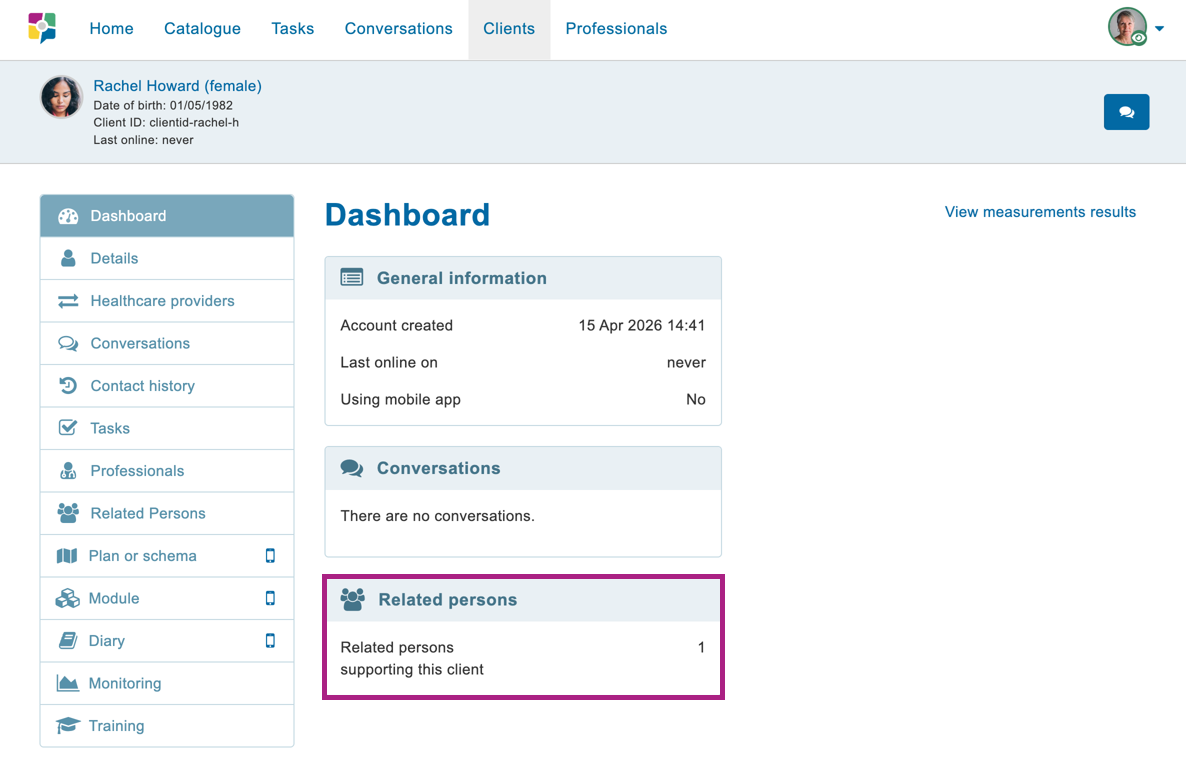
The privacy of related persons invited by clients remains protected. Therefore, you cannot view any details of these related persons.
Inviting a related person
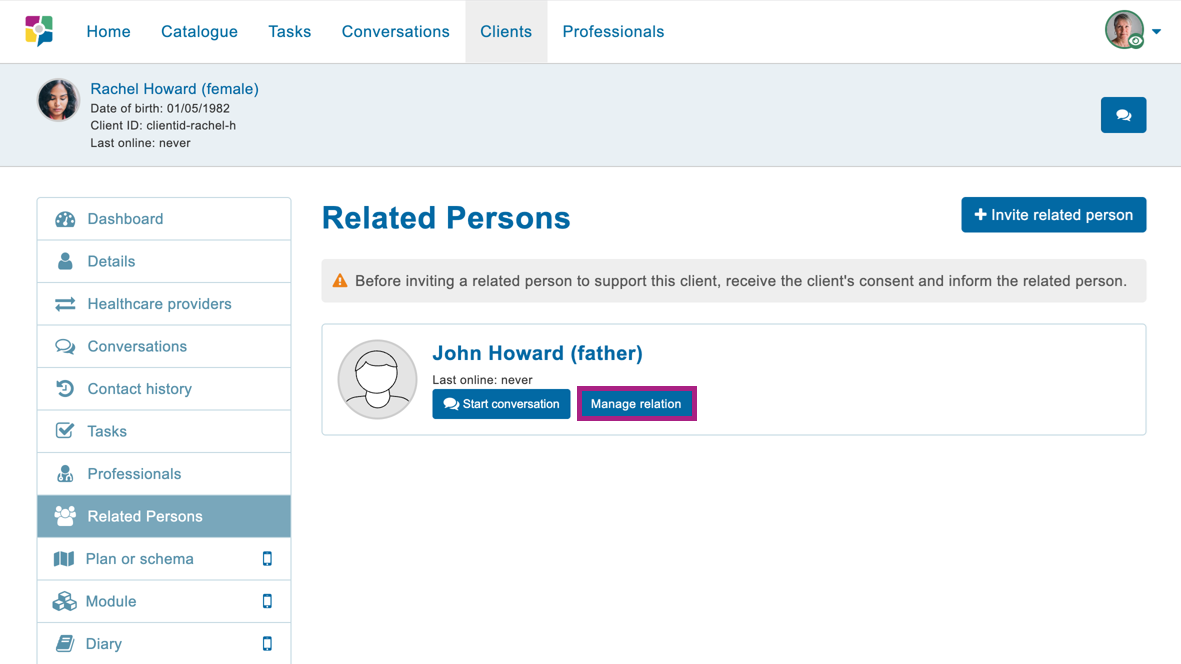
After requesting permission from the client, you as a therapist can invite a related person yourself. Go to 'Related persons' in the dashboard menu and click 'Invite related person' to create an account for a related person.
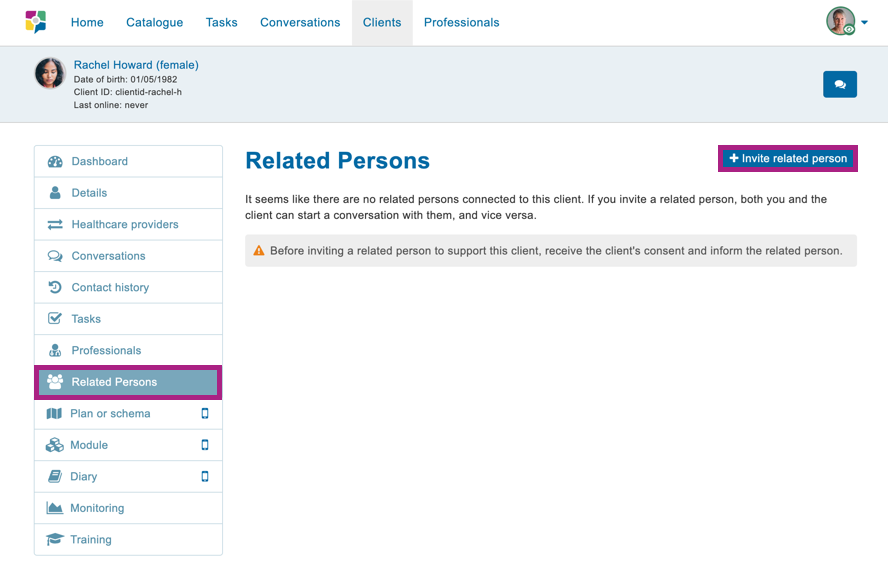
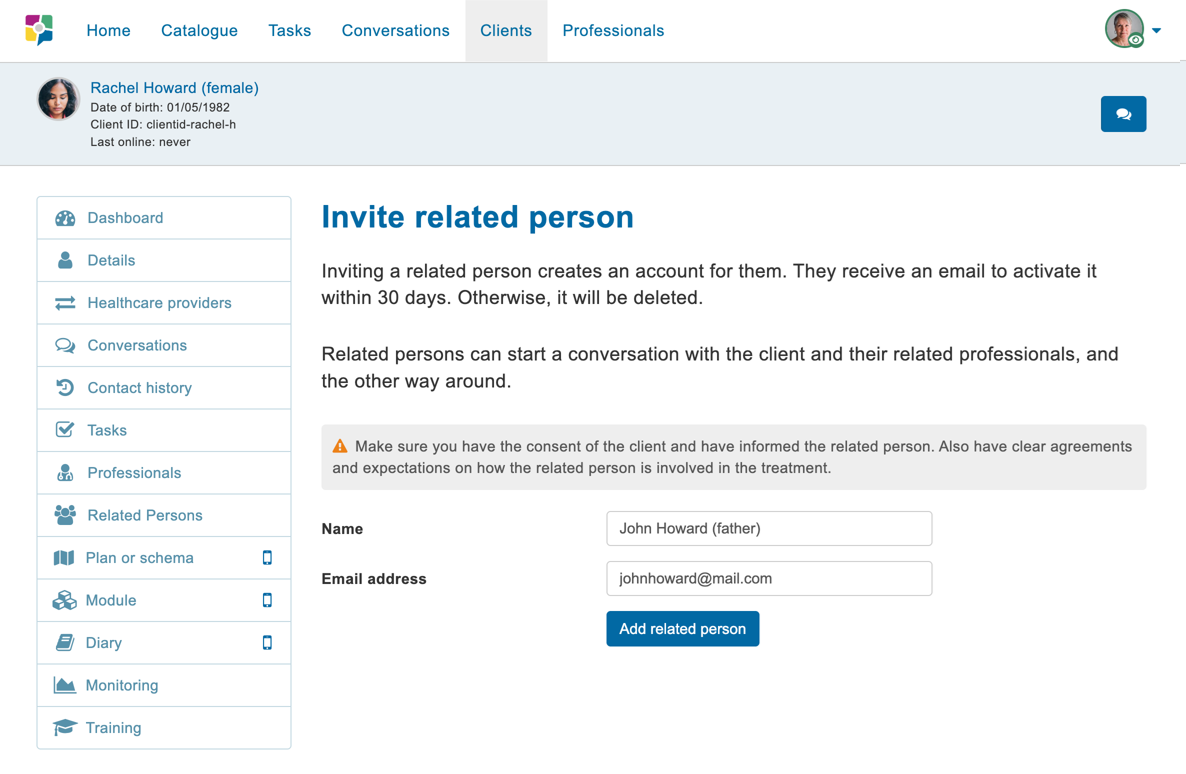
Enter the name and email address of the related person. They will receive an email to create a password. If the related person does not activate the account within 30 days, it will be automatically deleted.
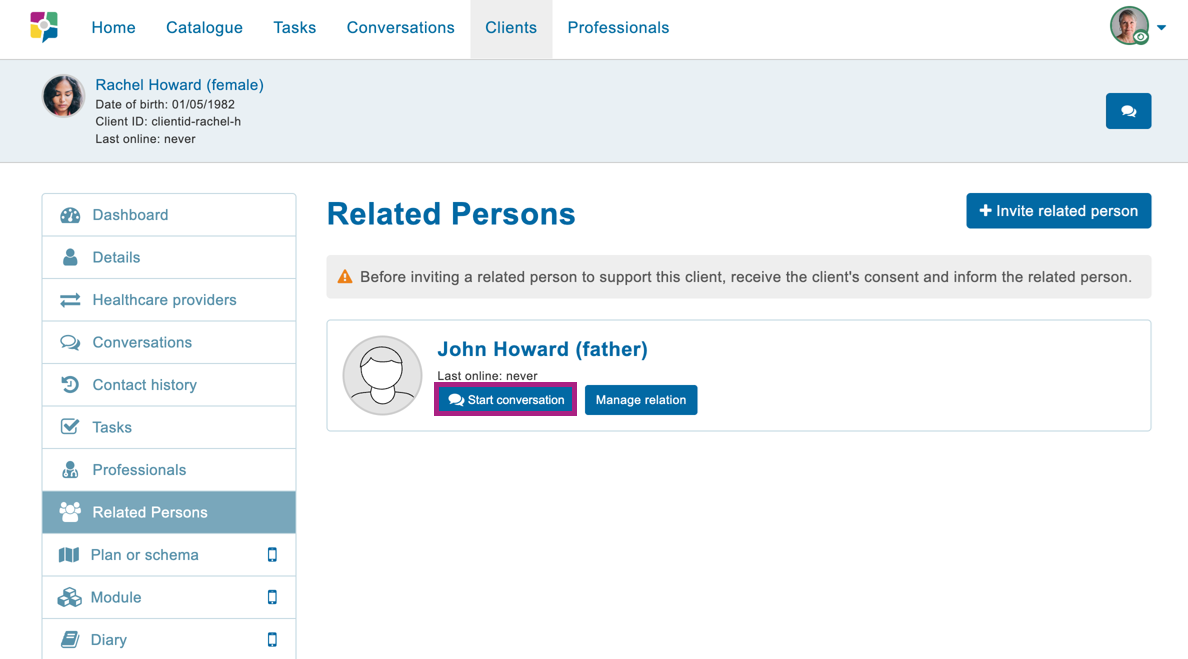
On this page, you only see the related person(s) you have invited yourself. The related person(s) invited by the client are not visible here. If you invite a related person who was already invited by a client, the account details will become visible.
Start a conversation with the related person
Has the related person activated the account? If so, you can start a conversation with this related person. Go to the related persons overview and click 'Start conversation'. It is also possible to invite the client or another therapist to join the conversation.
The client has the right to access conversations between you and the related person. A client may always request access.
If the related person does not create a nickname, you will see them as Anonymous in the conversation.
Removing a related person
You can remove a related person's account. This only disconnects the link between the accounts. The related person's account remains active after removal. It will simply no longer be possible to have conversations. Click 'Manage relationship' to remove the account.
Would a related person like to have the account deleted? Please contact your platform’s application manager or the Minddistrict service desk.